

HomeInsights & adviceWebsite Redesign Guard
THE EWB JOURNAL / FREE WEBSITE TOOLS
Website Redesign Guard: a free website redesign checker
Meet Website Redesign Guard, our free website redesign checker. Try the demo and learn how to compare pages, redirects and launch essentials before going live.
In this guide
What is Website Redesign Guard?
Website Redesign Guard is a free, open-source tool from Essex Website Builders that compares an original website with its replacement. It helps you spot missing pages, incorrect redirects, unexpected search settings and changes to important contact routes before they become launch-day surprises.
A redesign can look excellent while quietly losing a useful service page or an enquiry form. We built Guard to give those details a second look, with evidence and a suggested next step for each finding.
There are two ways to get started: try the interactive demo in your browser, or get the command-line tool on GitHub to check a real website. You do not need a paid API or WordPress administrator access.
Why check a website before and after a redesign?
A new layout does not automatically preserve your old URLs, page content or search settings. A service might move to a different address, a staging noindex directive might remain in place, or a prominent telephone link might disappear on the replacement site.
Google’s guidance on moving websites with URL changes recommends mapping old URLs to relevant replacements and redirecting directly to the final destination. Sending unrelated pages to the homepage is not a useful substitute for a considered redirect plan.
Guard helps review these details. It sits alongside your content review and launch checks; it does not guarantee rankings or confirm that Google has indexed a page.
Try the demo without installing anything
- Open the Website Redesign Guard demo.
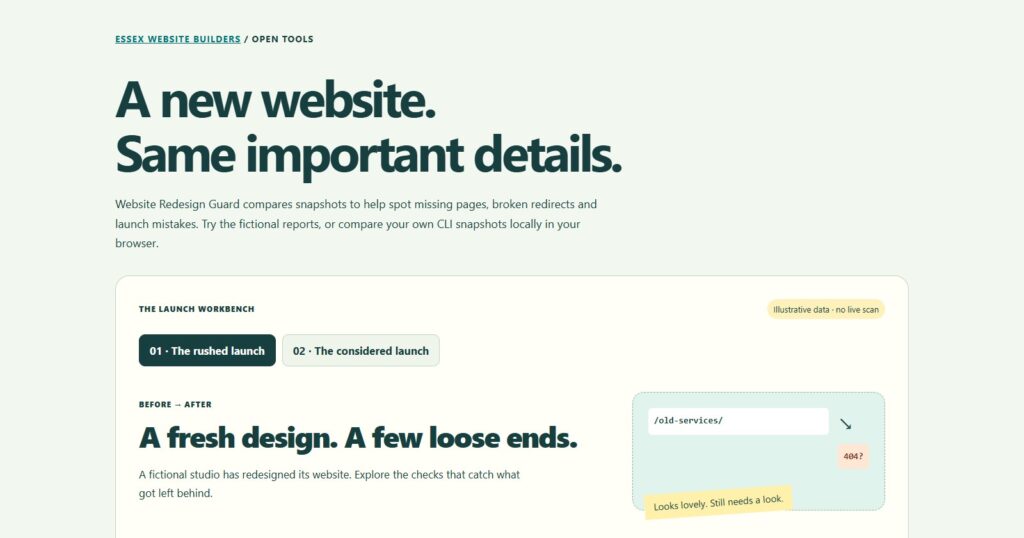
- Choose The rushed launch to see a fictional redesign with details left behind.
- Switch to The considered launch to see the same example with its problems addressed and a deliberate page retirement recorded.
- Filter the findings into Needs attention, Review and Notes, then download the HTML report.
The samples are illustrative: clicking them does not scan your website. If you already have two JSON snapshots captured by Guard, open Have your own snapshots? and select them to compare locally. Those selected files are not uploaded to EWB.
How to check a real website with Redesign Guard
1. Install the free tool
You need Node.js 22 or later and Git on your computer. Open a terminal, then run these commands one line at a time:
git clone https://github.com/mahdigroup/website-redesign-guard.git
cd website-redesign-guard
npm ci
The GitHub README contains the full installation instructions and available options. The tool runs on your computer; this version is not a WordPress plugin.
2. Capture the original before it disappears
While the original website is still accessible, save a baseline snapshot. Replace the example address below with the original site’s canonical base URL:
node bin/guard.js snapshot --url https://old.example/ --out reports/before.jsonKeep this file. It records what the checker found on the original site, including fetched pages, source HTML details and contact links. Start before launch: Guard cannot reconstruct a baseline from a website that has already been replaced.
3. Compare the replacement
Once the replacement is accessible, compare it against the saved baseline. Replace the example target address with the site you want to check:
node bin/guard.js compare --before reports/before.json --url https://new.example/ --out reports/redesign.html --json reports/findings.json --save-after reports/after.jsonOpen reports/redesign.html in your browser. It is a self-contained report with findings, evidence, next steps and coverage information. The optional JSON files let you keep the findings and the target snapshot for later review.
The old and new addresses can be the same domain when you captured the original before launch. For a public staging address, add --environment staging; that mode allows an intentional noindex directive. Check production again after launch. See the README for private-network access and staging limitations.
4. Tell Guard about planned URL changes
If a service is moving from /old-services/ to /services/, save a file called changes.json in the project folder:
{
  "paths": {
    "/old-services/": "/services/"
  }
}
Add --config changes.json to your comparison command. Guard checks the old route on the replacement site as well as its mapped destination. A working new service page does not, on its own, prove that the old link redirects correctly.
5. Fix, rerun and keep the baseline
Review each finding in context, make the appropriate change, then run the comparison again. Keep the original baseline intact. Choose a new report filename each time, or add --force when you deliberately want to overwrite an earlier output.
A comparison can finish writing its report and still return exit code 1 because it found errors. Read the report rather than assuming no file was created. Exit code 2 indicates a usage, input, output or command failure.
What the checker looks for
- Pages and redirects: unavailable destinations, missing mapped redirects, loops, chains, temporary redirects and unexpected homepage redirects.
- Search foundations: production noindex directives, missing or competing titles, and absent, competing or unexpected canonical URLs.
- Content and contact routes: significant reductions in text available in fetched HTML, changed telephone or email links, and enquiry forms no longer found in the source.
- Selected links and images: fetched internal destinations returning 404 or 410, selected broken images and detected enquiry-field labels that need review.
- Deliberate changes: documented page retirements and approved changes, kept visible so the team can distinguish decisions from mistakes.
Always read the coverage notes. The default scan allows 50 page attempts and 40 same-origin image checks; limits and skipped routes are reported. Guard does not discover every orphaned URL. Use an old sitemap or the supported URL list when you need to cover pages that are no longer linked.
What still needs a person before launch?
Guard fetches source HTML. It does not execute the website’s JavaScript, submit forms, complete purchases or prove email delivery. A form visible only after scripts run may need manual review. A detected form also needs an end-to-end test: send a real test enquiry, confirm it is saved and check that the team receives it.
Check mobile layouts, keyboard access, analytics, backups and important customer journeys. Use the manual launch checklist included with the project to organise the remaining work.
Common questions
Is Website Redesign Guard free?
Yes. The project is MIT licensed and available on GitHub. There is no paid API requirement or email gate for the demo.
Can I use it for a WordPress redesign?
Yes. Guard checks public HTTP responses and fetched HTML, so it can compare WordPress websites and other sites. It does not need access to your WordPress database or administrator account.
Will it change my website?
No. The command-line checker uses read-only GET and HEAD requests and respects robots restrictions. It does not edit pages, install plugins or send enquiries. The browser comparison works with snapshot files you select.
Does a clean report mean the website is ready?
It means no findings were detected within that run’s checks and coverage. It is not a full accessibility audit, a ranking forecast or a substitute for testing real customer journeys.
Give your redesign a closer look
Start with the interactive Website Redesign Guard demo, then download the open-source project from GitHub when you are ready to compare a real site.
Planning a new website for your business? Explore our website redesign service or talk through your project with Essex Website Builders. We can help shape the design and the launch details around what your customers need to do.